If you've spent any time trying to grow a YouTube channel, you already know the frustration: you upload a well-edited video, hit publish, and then… nothing. The views trickle in slowly, and you're left wondering what went wrong. More often than not, the culprit isn't your content — it's your Click-Through Rate (CTR).
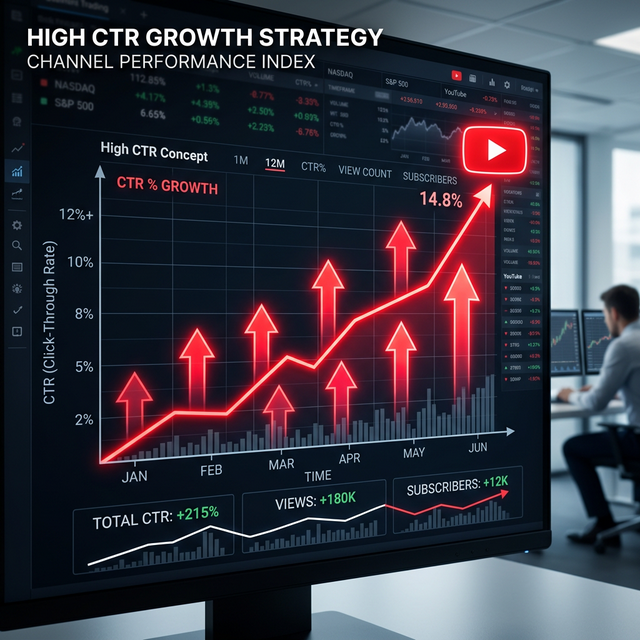
CTR is the percentage of people who click your video after seeing it as an impression — whether in search results, the home feed, suggested videos, or anywhere else on YouTube. A higher CTR tells YouTube's algorithm that your video is worth recommending to more people, which snowballs into more impressions, more views, and faster channel growth. According to YouTube's own creator insights, most channels see a CTR between 2% and 10%, but top-performing videos regularly hit 15% or more. The difference? A handful of very deliberate, learnable strategies.
In this guide, we'll break down 10 proven tips that can meaningfully — sometimes dramatically — improve your CTR. Whether you're brand new to YouTube or have been posting for years, these tactics will give you a clear roadmap to more clicks, more views, and a faster-growing channel.
Your thumbnail is the single most powerful lever you have over your CTR. It's the first thing a viewer sees, and on a crowded YouTube page, it has to earn attention in a fraction of a second. Think of your thumbnail not as a screenshot, but as a billboard advertisement — it needs to communicate a compelling story or emotion instantly.
The best thumbnails share a few common qualities: they're high contrast, meaning bright colors and dark shadows that pop against YouTube's white or dark background. They're emotionally expressive — a face showing surprise, excitement, or disbelief consistently outperforms static objects or landscapes. And they're easy to read at small sizes, because the majority of your impressions will happen on mobile devices where thumbnails are tiny.
- Use a resolution of 1280 × 720 pixels (the standard thumbnail size)
- Keep the background clean and uncluttered — one strong focal point beats a busy collage
- Use bold, expressive facial close-ups when your topic allows it
- Apply a consistent color palette that matches your channel's brand
- Zoom in: if your thumbnail doesn't read clearly at 120px wide, redesign it
💡 Pro Tip: Before publishing, shrink your thumbnail down to the size of your thumbnail on your own phone screen. If you can't quickly understand the image or read the text, your audience won't either.
If your thumbnail gets someone to pause their scroll, your title is what closes the deal and makes them click. A great YouTube title does two things simultaneously: it complements the thumbnail (adding context without simply repeating it) and it creates a compelling reason to click — either by sparking curiosity, promising a specific benefit, or tapping into an emotion your audience already feels.
Titles that work well usually fall into one of a few reliable patterns. The "How I" title implies a personal, proven story: "How I Gained 10,000 Subscribers in 30 Days." The result-focused title promises transformation: "These 5 Habits Completely Changed My Productivity." The contrarian title challenges conventional wisdom: "Why Most YouTube Advice Is Wrong." Each of these triggers a different psychological response, but all of them make the viewer feel like they'd be missing out if they didn't click.
- Use numbers when possible — specificity (like "7 ways" or "in 14 days") builds credibility
- Include your target keyword naturally near the beginning
- Avoid clickbait that under-delivers — it hurts watch time and long-term trust
- Keep titles under 60 characters so they don't truncate on desktop
- Pair with a thumbnail that tells a slightly different part of the same story
📌 Remember: Your title and thumbnail should work together like a movie poster — each one incomplete without the other. If your thumbnail shows shock and your title explains why, that's a powerful one-two punch.
One of the biggest mistakes creators make is publishing a video with a thumbnail and title and then never revisiting them. The truth is, your first instinct isn't always your best one — and the only way to know what truly resonates with your specific audience is to test multiple options.
YouTube itself offers a built-in feature for this called YouTube Test & Compare (available in YouTube Studio), which lets you test up to three different thumbnails against each other to see which generates the most clicks. Third-party tools like TubeBuddy and VidIQ offer even more granular A/B testing capabilities, including title testing. Over time, testing builds an invaluable understanding of what makes your audience tick.
- Change only one variable at a time — either the thumbnail or the title, not both — so you know what drove the result
- Let tests run for at least 48–72 hours to gather statistically meaningful data
- Pay attention to not just CTR but also Average View Duration — a high CTR with poor watch time may mean your thumbnail is misleading
- Keep a spreadsheet of what you tested and what won — patterns will emerge over time
You don't have to figure everything out from scratch. The most-watched videos in your niche have already done the hard work of proving what earns clicks from your target audience. Studying them isn't copying — it's research.
Search for your main keywords on YouTube and pay close attention to the top results. What colors dominate their thumbnails? Do they use faces or text-heavy designs? Are their titles question-based or statement-based? Are they long-form deep dives or short punchy videos? Every one of these choices was, in some cases, the result of months of experimentation by experienced creators. Absorbing these signals gives you a shortcut.
At the same time, look for gaps and patterns. If every video in your niche uses a dark background with red text, trying a bright white thumbnail might make you stand out simply because you look different. In a sea of similarity, being visually distinct is itself a competitive advantage.
- Save screenshots of high-performing thumbnails in a "swipe file" for reference
- Note title formulas that appear repeatedly — those are battle-tested
- Look at newer videos that are outperforming older ones — they often signal a shift in audience preference
- Check comment sections for what viewers say they liked or wanted more of
On mobile — where the majority of YouTube viewing now happens — video titles are often cut off after the first 40 to 50 characters. This means the tail end of your title might never be seen at all. If your most important word, keyword, or emotional hook is buried at the end, you're losing clicks before they even had a chance to happen.
Make it a habit to put your most important element — whether that's the keyword, the promised benefit, or the curiosity hook — in the first three to five words of your title. This works for both discoverability (YouTube's search algorithm weighs early title keywords more heavily) and for viewer psychology (the opening words set the frame for everything that follows).
- Write the title in full, then ask: "What's the most important word here?" Move it to the front.
- Avoid starting with weak filler words like "How," "Why," or "The" if a stronger word could lead
- Test your title on your phone — does it still communicate the right message when truncated?
- Use tools like TubeBuddy's SEO Studio to see keyword strength at different positions
💡 Quick Test: Paste your title into a mobile preview tool or just type it in your phone's notes app and truncate it to 50 characters. Does it still make you want to click?
A loyal subscriber who sees your thumbnail in their feed should be able to recognise your video instantly — before they even read the title. That's the power of visual branding. When your thumbnails have a consistent look and feel, you effectively train your audience to spot you in a crowded feed, which dramatically increases the likelihood of a click from people who already know and trust your content.
Branding doesn't mean every thumbnail looks identical. It means there's a recognisable visual thread: a consistent color palette (two or three dominant colors that appear in every thumbnail), a signature font or text style, a recurring layout structure, or even a distinctive border or graphic element. Over time, this becomes your visual signature — as recognisable as a logo.
- Choose two or three primary colors and use them across all thumbnails
- Pick one or two fonts and stick to them — avoid trendy fonts that change every few months
- Consider a consistent placement for your face, title, or any recurring graphic element
- Create a thumbnail template in Canva or Photoshop that you customize for each video
- Review your channel page grid regularly — does it look cohesive and professional at a glance?
The curiosity gap is a psychological concept that describes the discomfort we feel when we're aware that there's something we don't know. A great YouTube title or thumbnail can deliberately create this gap — hinting at something interesting, surprising, or valuable, without fully revealing it — and the viewer's need to fill that gap is what drives them to click.
Asking a question in your title is one of the simplest ways to deploy the curiosity gap. "Is Your Morning Routine Ruining Your Productivity?" forces the viewer to consider the possibility, and clicking feels like the only way to find out. Open-ended statements work too: "The YouTube Strategy Nobody Talks About" implies there's a secret the viewer doesn't know — and needs to.
The key is to be specific enough that the question feels credible and relevant, but vague enough that it can't be answered without watching the video. Overly generic questions ("Do You Want More Views?") don't create curiosity because they're too obvious. Highly specific, slightly unexpected questions ("Why I Deleted My Most-Viewed Video") do, because they introduce a conflict the viewer didn't expect.
- Use question marks when your content genuinely answers something the audience is wondering
- Combine a surprising claim in the thumbnail with a title that explains just enough to make it believable
- Avoid "curiosity bait" — titles that tease something the video doesn't actually deliver
- Test curiosity-gap titles against direct, benefit-focused titles for the same video — results often surprise you
When you share a YouTube video on social media — whether on Instagram, Twitter/X, Reddit, or any other platform — how that link behaves matters more than most creators realize. A standard YouTube URL opened on a mobile device often loads in a mobile browser first, where the viewer has to then manually open it in the YouTube app. That extra friction causes a significant portion of potential viewers to drop off entirely before the video even starts.
Deep links solve this problem by routing users directly into the YouTube app when they tap the link on their phone. This "social-to-app" handoff dramatically reduces the number of steps between interest and viewing, which means more clicks actually convert into real views. For creators who promote their content cross-platform, this can be a meaningful and often-overlooked boost to effective CTR.
Tools like OpeninYoutube are specifically built to generate these deep links, ensuring that when your followers tap your video link on mobile, they're taken straight into the YouTube app — no friction, no dropped handoffs. If you're regularly sharing your videos on social media, this is one of the easiest wins available to you.
- Always use deep links when promoting videos on mobile-heavy platforms like Instagram Stories or TikTok bios
- Test the experience yourself — tap your own shared link on mobile and see where it takes you
- Combine deep links with a strong call to action in your caption to maximize click-through
- Track click-to-view conversion rates before and after switching to deep links
📌 OpeninYoutube makes it simple to generate deep links for any YouTube video. Try it free — your social media audience will land directly in the YouTube app, boosting your real-world CTR.
It can be tempting to cram as much information as possible onto your thumbnail — after all, isn't more context better? In practice, the opposite is almost always true. Thumbnails with too much text look cluttered, are hard to read at small sizes, and actually communicate less because the eye doesn't know where to focus.
The most effective thumbnails use text strategically: three to five words at most, in a font that's bold and legible at thumbnail size, placed to complement the image rather than cover it. In many cases, a powerful thumbnail needs no text at all — the image and emotion carry the full message. Text should only be added when it meaningfully changes the context or amplifies the intrigue of the visual.
- Aim for three to five words maximum — anything more and you're writing a subtitle, not a thumbnail
- Use font sizes of at least 60–80pt so text is readable at 120px thumbnail size
- Choose high-contrast text color — white text with a dark outline, or dark text on a light background
- Avoid repeating words that are already in your title — thumbnail and title should tell two sides of the same story
- Less text forces the image itself to communicate — invest in better imagery rather than more words
💡 The "squint test": Squint at your thumbnail until it's blurry. Can you still identify the main subject, dominant emotion, and key text? If yes, you're in good shape. If not, simplify.
The single thing separating channels that grow steadily from those that plateau is a commitment to ongoing experimentation. YouTube's algorithm evolves, audience tastes shift, and what worked brilliantly six months ago may be stale today. The creators who sustain long-term growth are the ones who treat every video as a new data point — not just a piece of content.
This doesn't mean chasing every trend or abandoning what's working. It means staying curious: periodically trying a new thumbnail style, testing a different title format, experimenting with posting times, or exploring a topic angle you've never tried before. Some experiments will fail — that's not just acceptable, it's necessary. Every failed experiment teaches you something that a successful one doesn't.
The most successful YouTube channels are, at their core, learning machines. They publish, measure, analyze, adapt, and repeat. CTR is just one of many metrics you should track, but it's one of the most actionable — because you can change it immediately by updating a thumbnail or title, without re-editing a single second of footage.
- Review your CTR analytics in YouTube Studio at least once a week
- Identify your top 5 and bottom 5 performers — what patterns do you see?
- Don't be afraid to update old thumbnails and titles on underperforming videos
- Keep a running list of thumbnail and title ideas you want to test
- Follow other creators not to copy them, but to stay aware of what's resonating in the broader landscape
Conclusion: Small Changes, Big Results
Doubling your YouTube CTR won't happen after changing a single thumbnail. But applying these ten strategies consistently — testing regularly, refining your visual brand, writing titles that create genuine curiosity, and eliminating every unnecessary source of friction between impression and click — compounds over time into meaningful, measurable growth.
CTR is one of the few YouTube metrics you can directly control. You can't control the algorithm, you can't force watch time, and you can't manufacture subscribers. But you can craft a thumbnail that earns the click. You can write a title that makes it impossible not to watch. You can optimize every touchpoint from social media share to app open. Those are the marginal gains that separate a stagnant channel from a growing one.
Start with the tip that feels most immediately actionable for your channel right now. Pick one video you published in the last 90 days that underperformed. Redesign its thumbnail, rewrite its title, and track what happens over the next two weeks. Then do it again. That's how compounding growth on YouTube actually works.